Blog / Release 2.31
New widgets - Battery, Thermometer, Flask
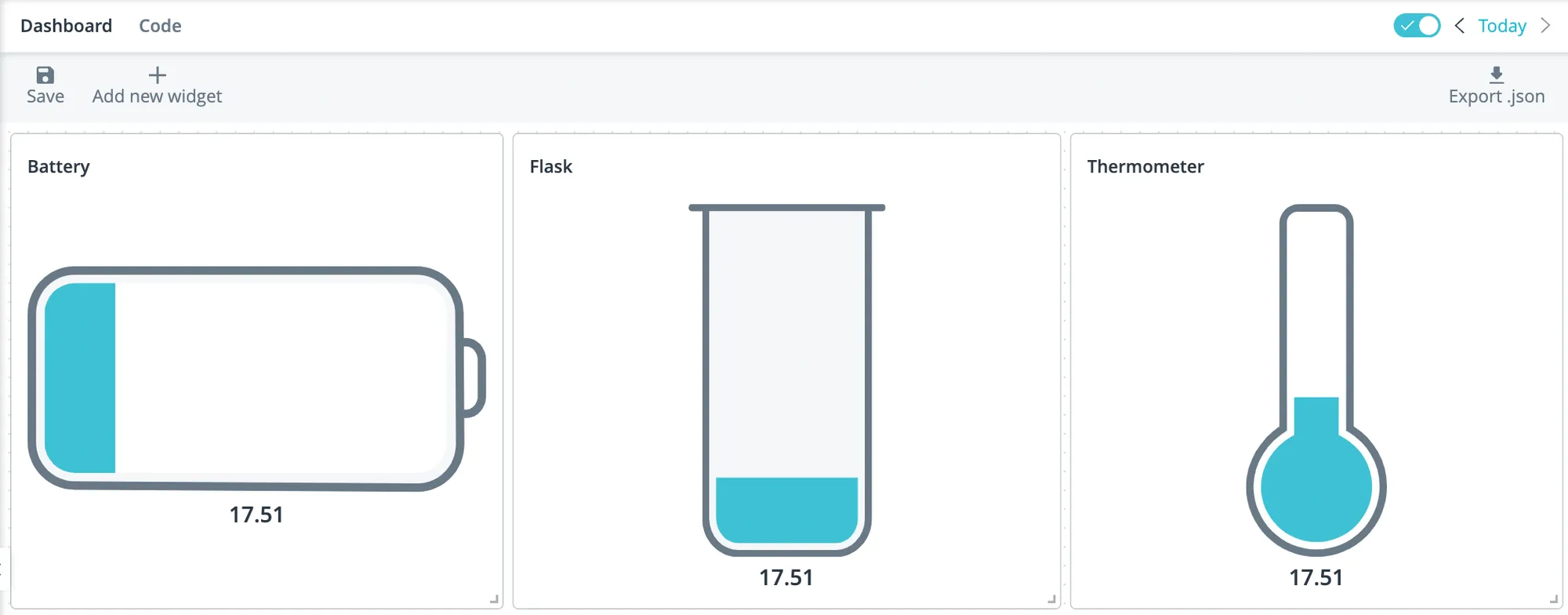
Added new widgets to the "display" section – Battery, Flask, Thermometer. Now you can setup the minimum and maximum value (min - 0 and max - the highest value by default) in the widget settings.
Positioning without GPS (via GSM)
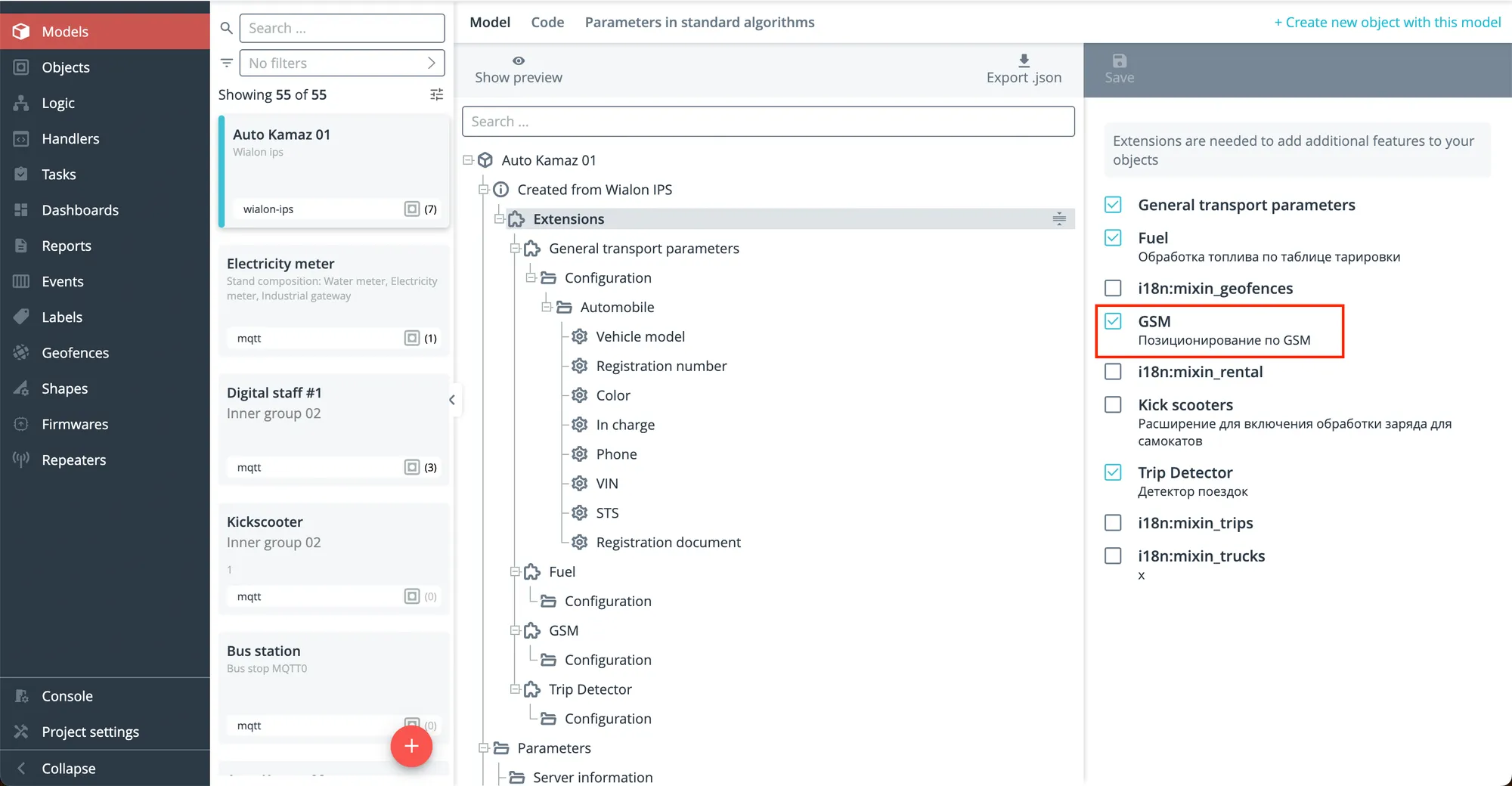
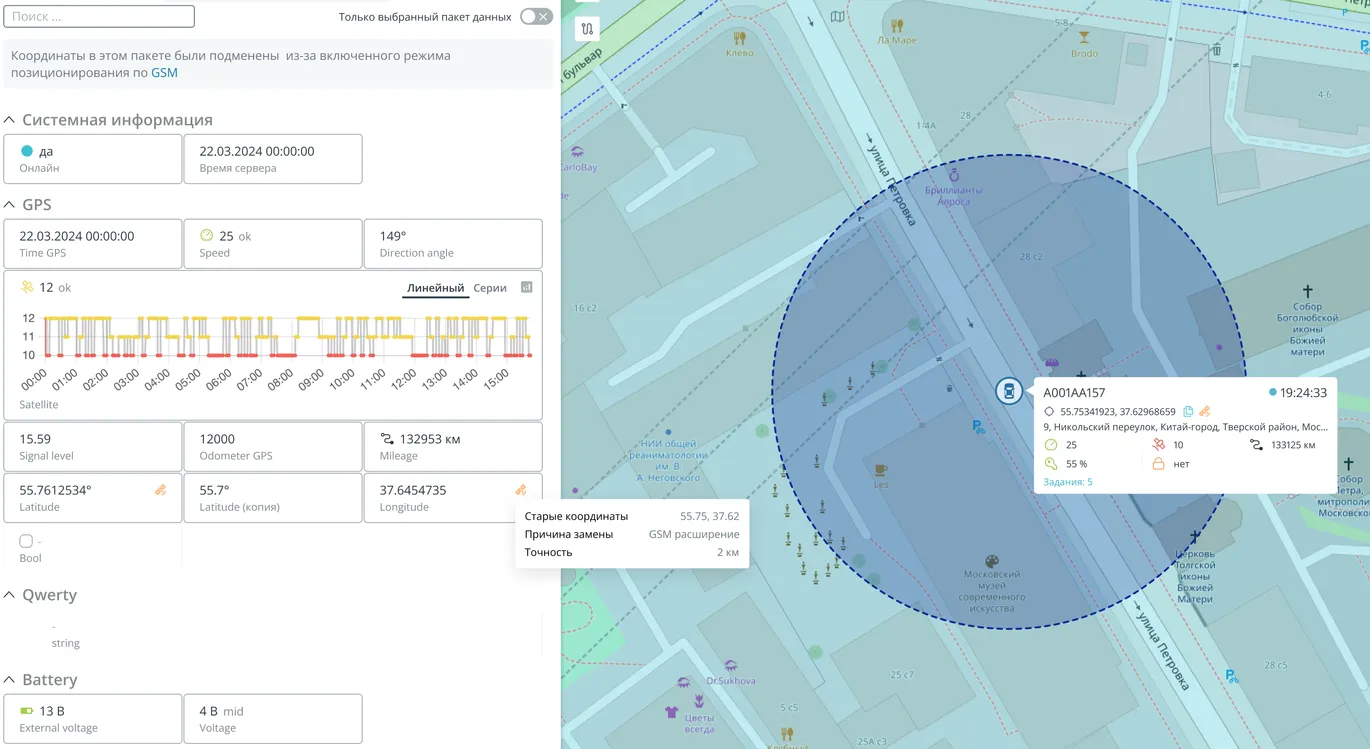
Added extension that allows to calculate object coordinates in the absence of GSM information. The coordinate of the object is tied to cellular tower, if triangulation is performed by only one tower. The radius of this point appears on the map (since the coordinates are not defined with accuracy).
To enable this setting, the GSM extension must be enabled in Models and then in Object data.
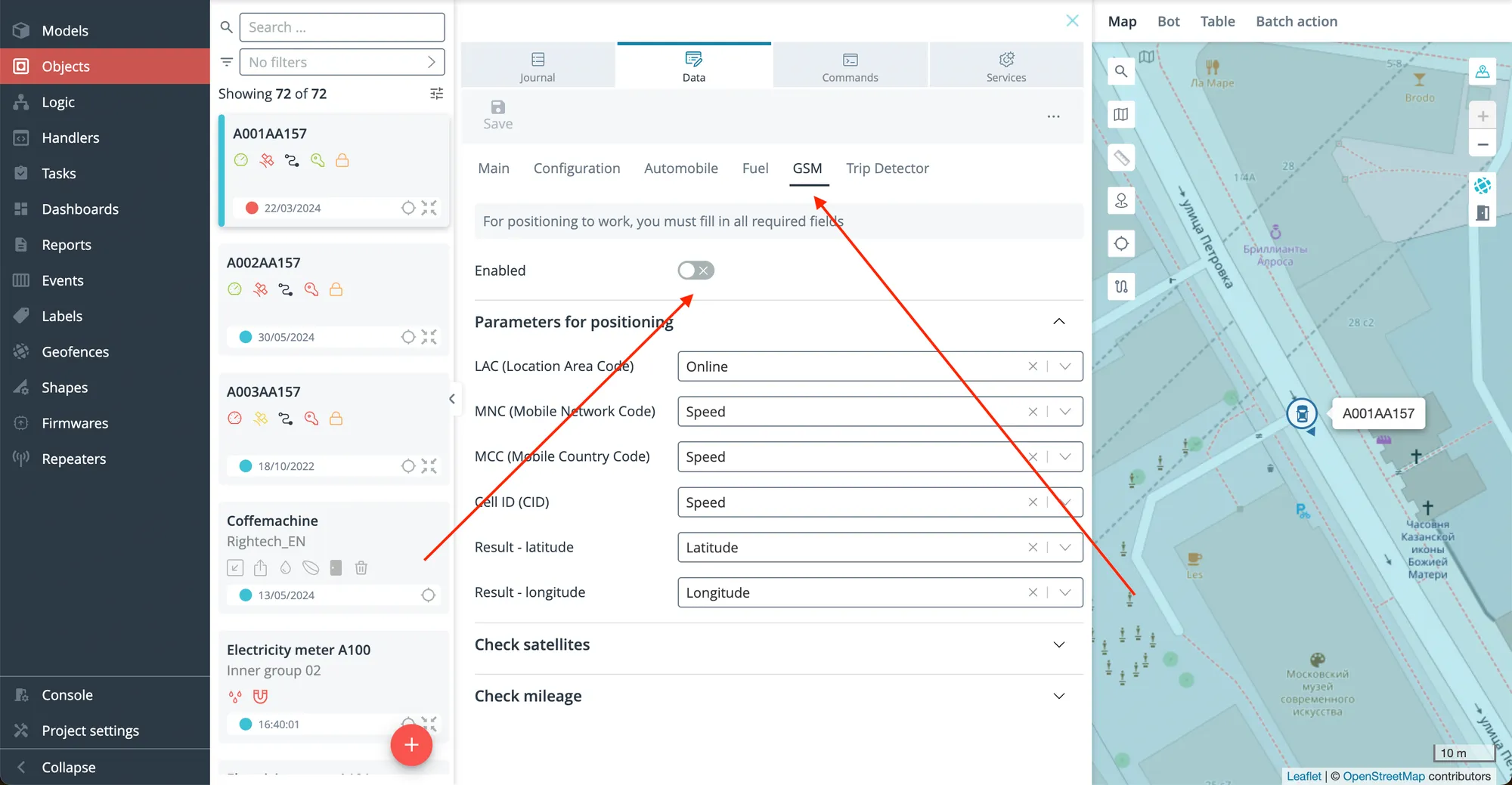
More additions:
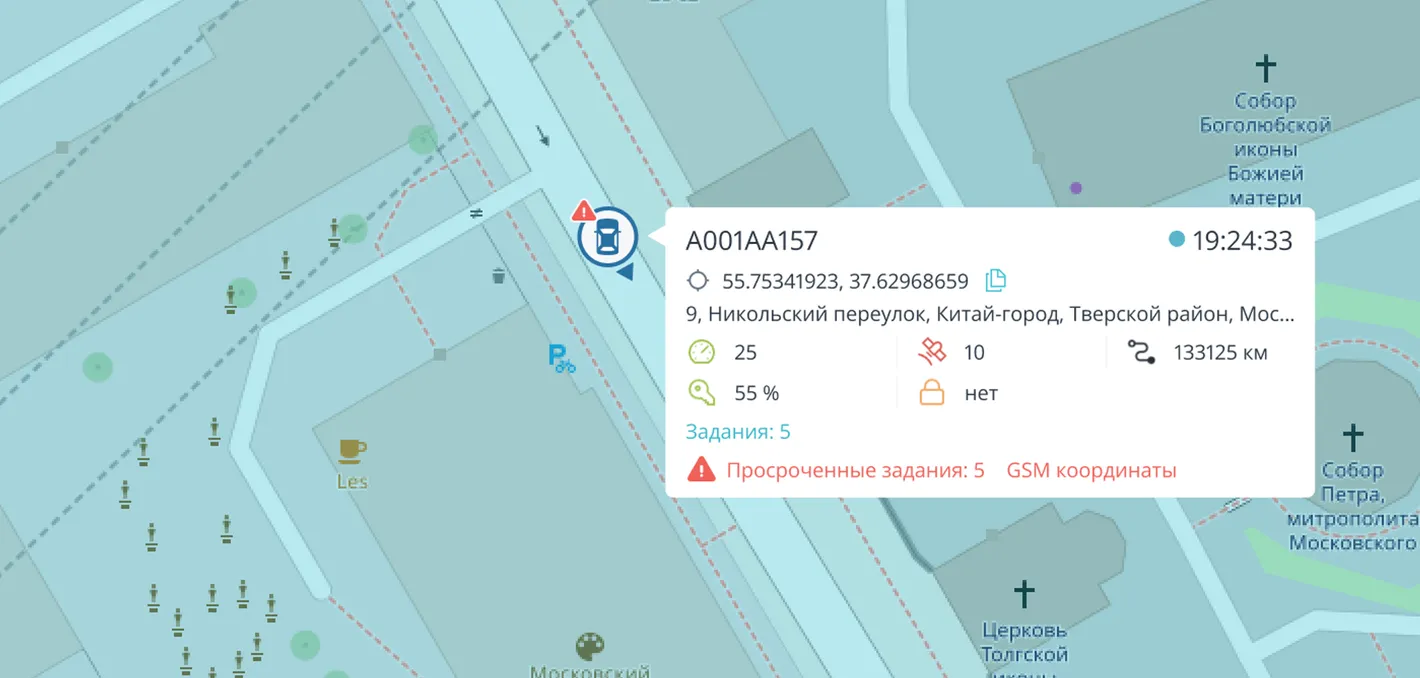
- a hint that the coordinates have been changed due to the enabled GSM positioning mode;
- an icon and a tooltip in the log;
- icon on the card on the map;
- object display and radius around the point (2 km).
New widget settings in dashboards
-
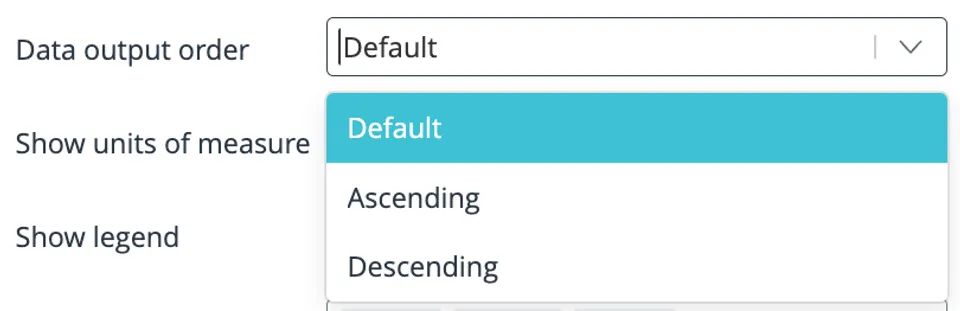
Added column sorting for the Bar chart. Column sorting: default, ascending and descending.
-
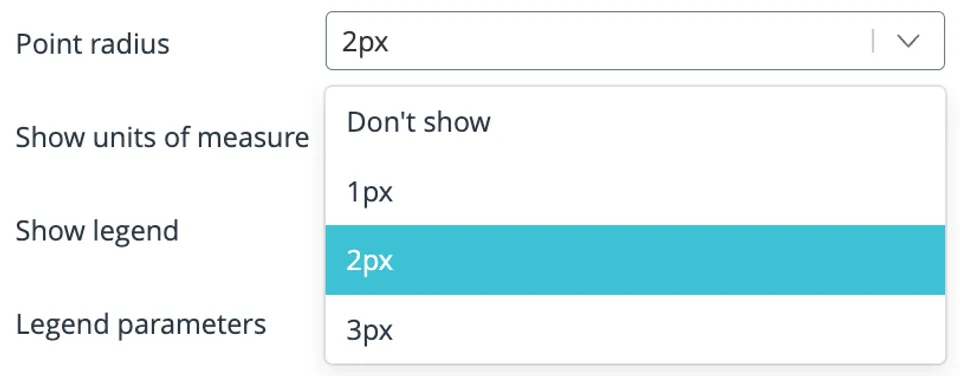
Added setting for the size of points for the Line chart (from 0 px to 3 px, default – 2 px).
-
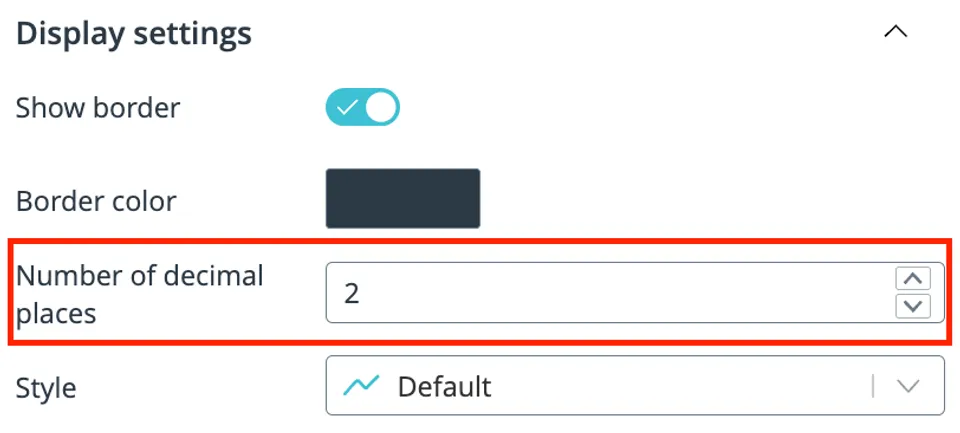
Added formatting of the number of decimal places in dashboards (from 0 to 15, default – 2). The function is available in widgets: Line chart, Bar chart, Pie chart, Gauge chart, Bar gauge chart, Counter.
More improvements
-
Added positive notifications when a connection is restored. The message will not be displayed, if the recovery occurs no later than 3 sec after.
-
Added a toolbar for geofences.
-
Added the ability to switch from handlers to a state in an object.
-
Updated design of an icon for objects with coordinate substitution.