Creating a dashboard
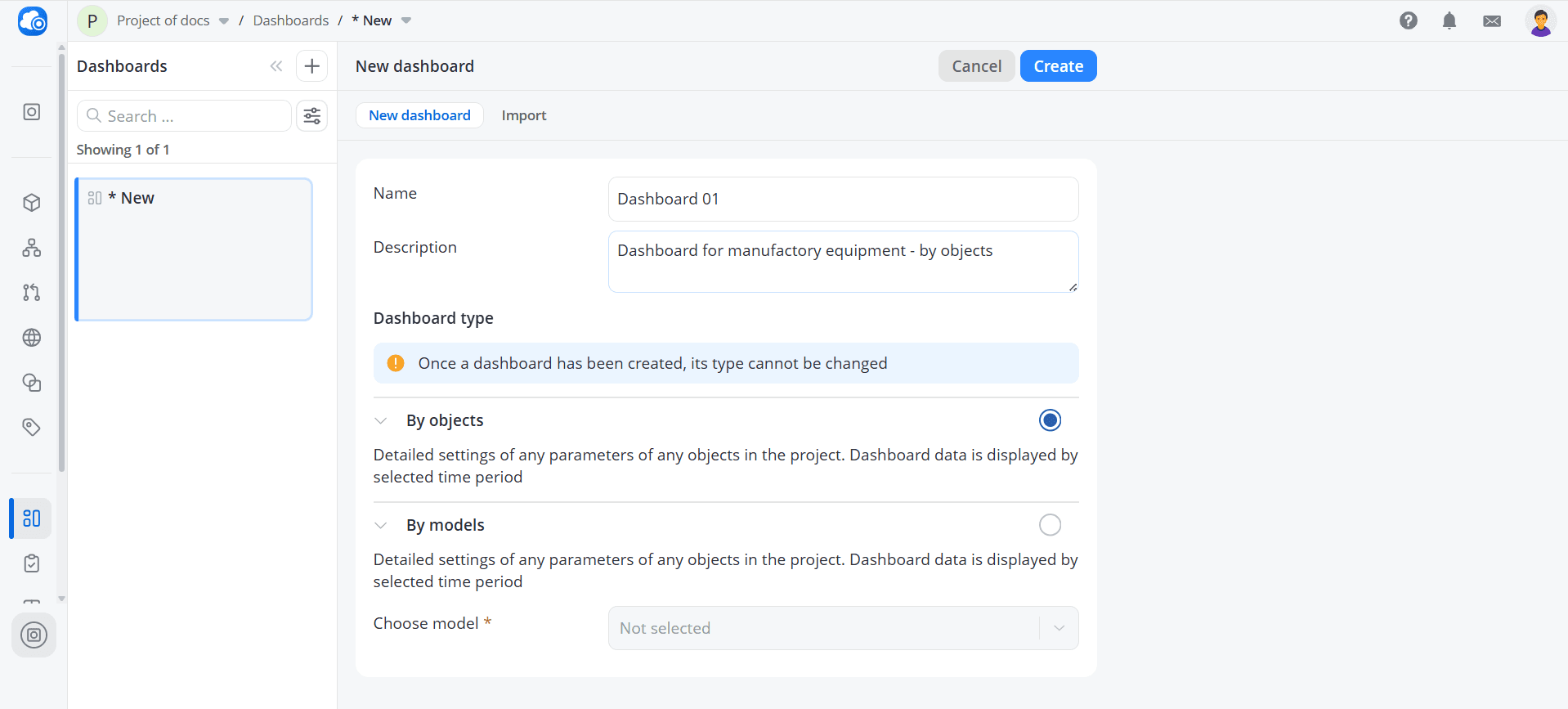
To create a new dashboard, open the Dashboards tab and click the plus icon.
Fill in the following fields:
- Name – the name of the dashboard;
- Description – an optional detailed description of the dashboard.
Next, select the dashboard type:
- By objects – this dashboard type allows you to display data from objects using different models. Widgets are configured for specific objects and can combine data from devices with different models. You can also create widgets that display data for a single object only.
- By models – this dashboard type is designed for objects that use the same model selected during dashboard creation. It is useful for monitoring a large number of similar objects. Widgets are configured once for a specific model, and then the required objects are added to the dashboard. Each widget will display data for all selected objects.
You can also import a preconfigured dashboard from a file or a link.