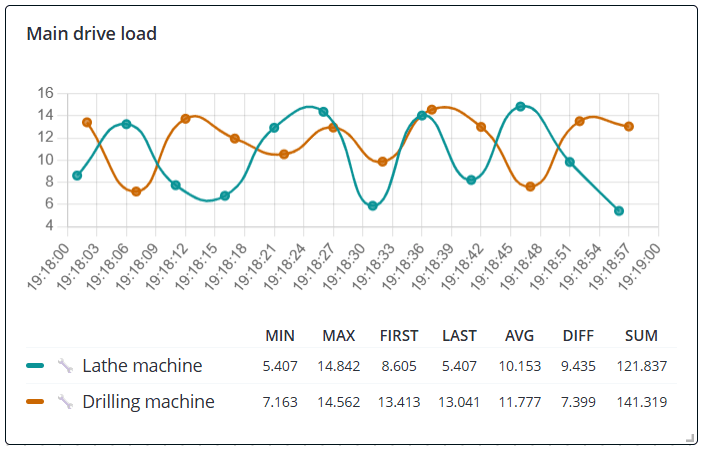
Legend configuration
The Line chart, Bar chart, Pie chart, and Bar gauge chart widgets support legends to make dashboard data
easier to read and analyze. To add and configure it, when editing the widget, go to Display settings and enable
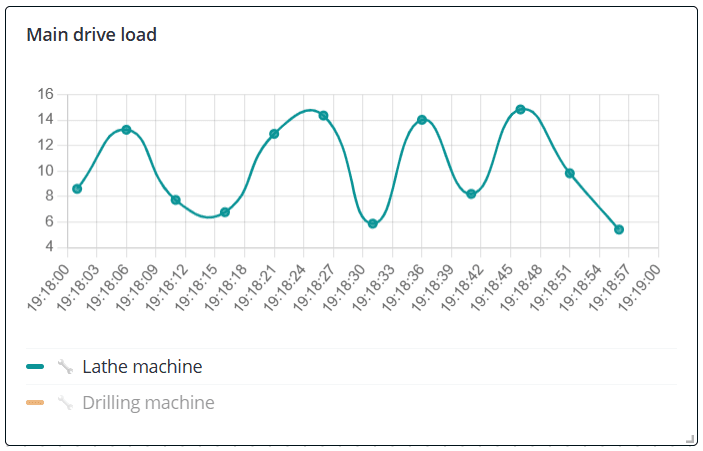
Show legend. The legend displays all data sources used in the widget visualization. Click a data source in the
legend to hide it from the widget. Click it again to show it back. This makes it easy to focus on one or several
specific data sources during analysis.
You can also configure additional values to appear in the legend for each data source. In the widget's Display
settings, enable any of the following parameters:
- MIN/MAX – the minimum/maximum value for the selected time period;
- FIRST/LAST – the first/last value for the selected time period;
- AVG – the average value for the selected time period;
- DIFF – the last value minus the first value over the selected time period;
- SUM – the sum of all values received by the object during the selected time period.