Selecting objects for a scenario "By cross-elements"
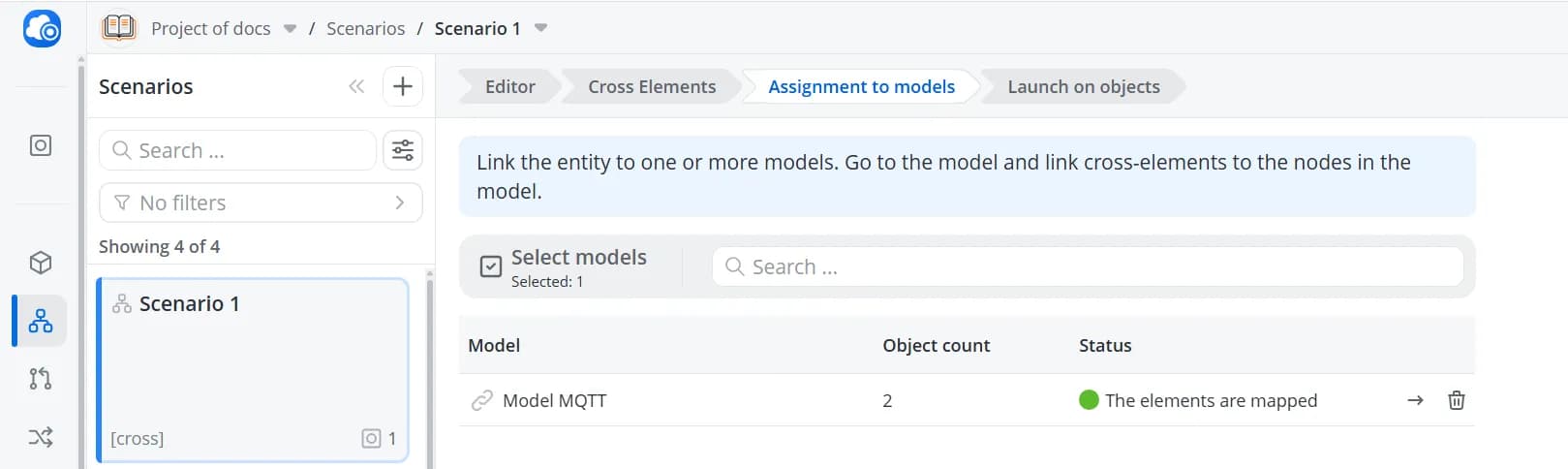
Before selecting the objects on which a scenario will run, you must first choose the object models associated with the scenario. This is required for scenarios built using cross-elements. Open the Assignment to models tab.
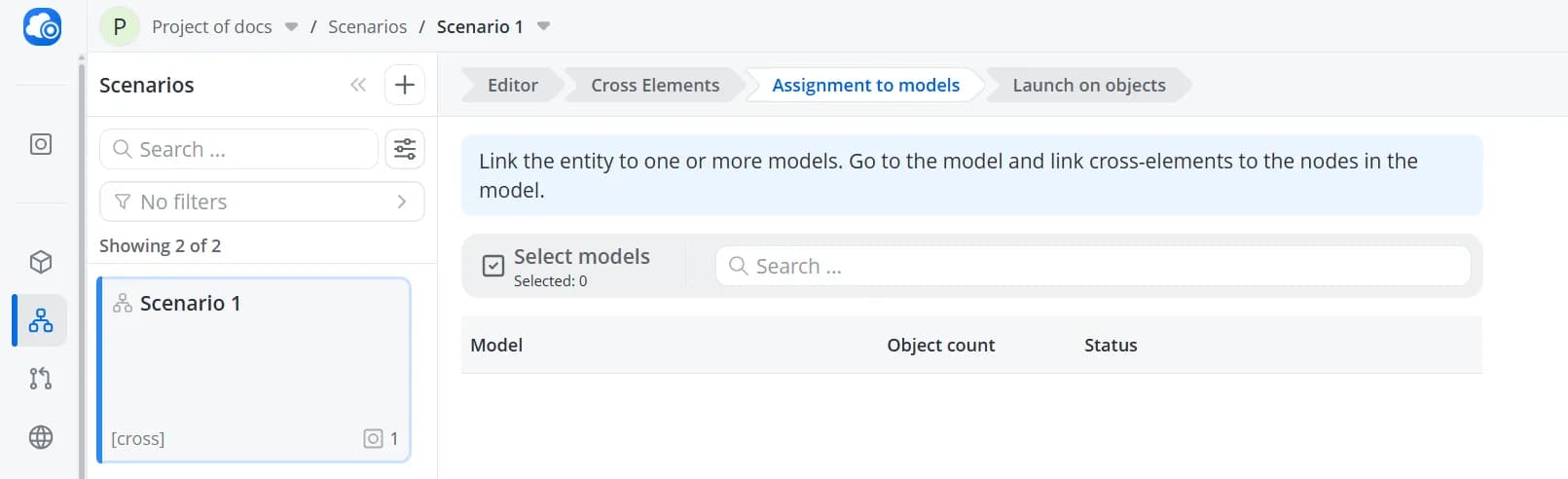
Click Select models, then choose the model cards that this scenario should apply to.
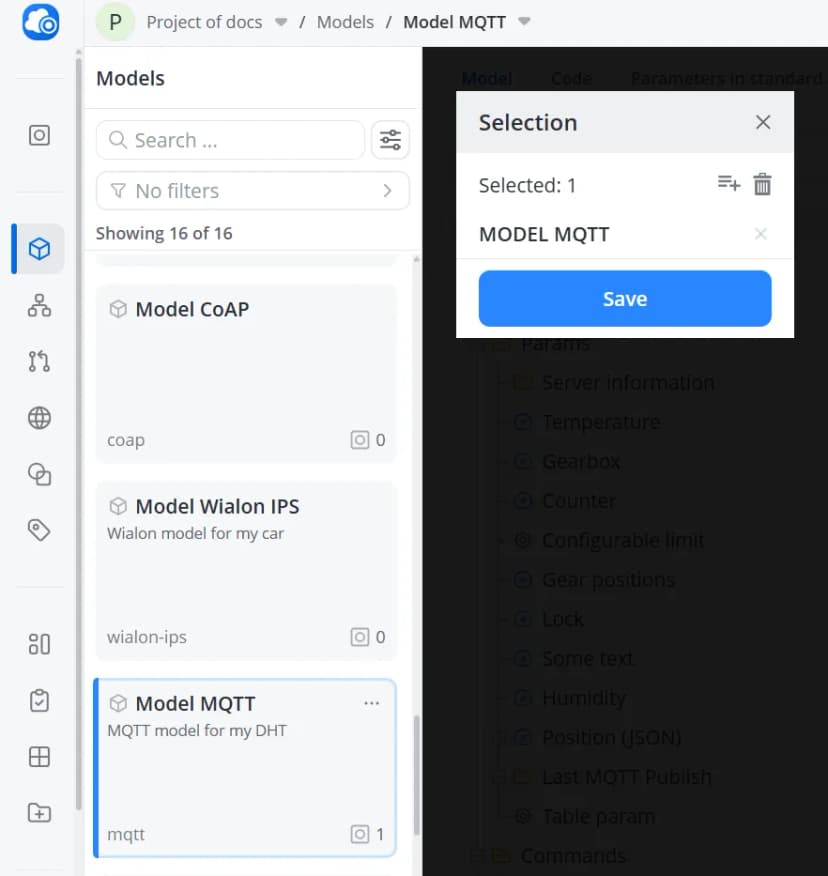
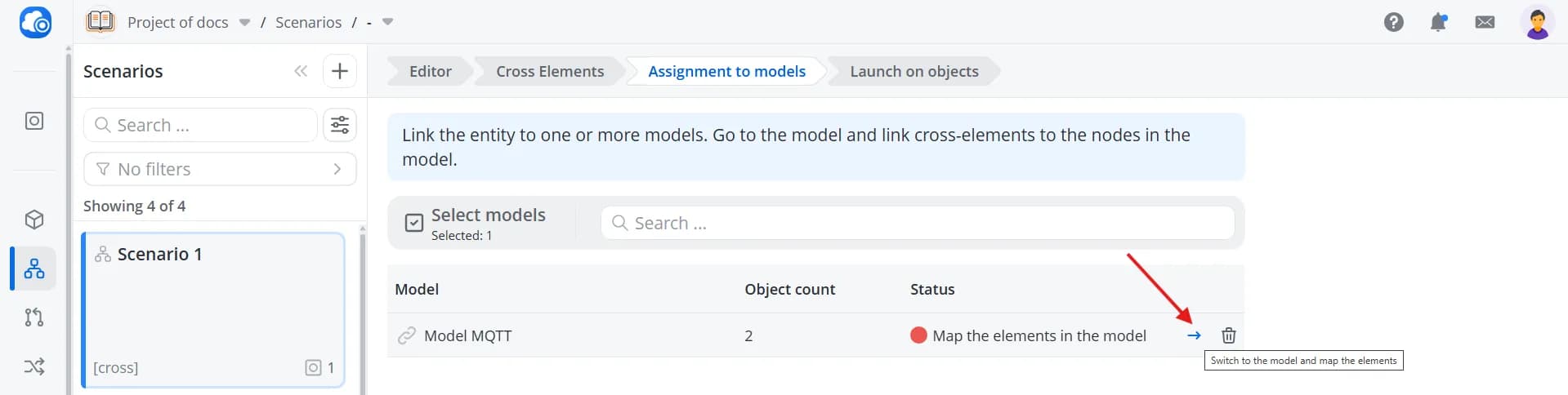
Click Save. The selected models will appear in the list with the status Map the elements in the model. This
status indicates that the cross-elements used in the scenario have not yet been mapped to the corresponding
model parameters. Click Switch to the model and map the elements.
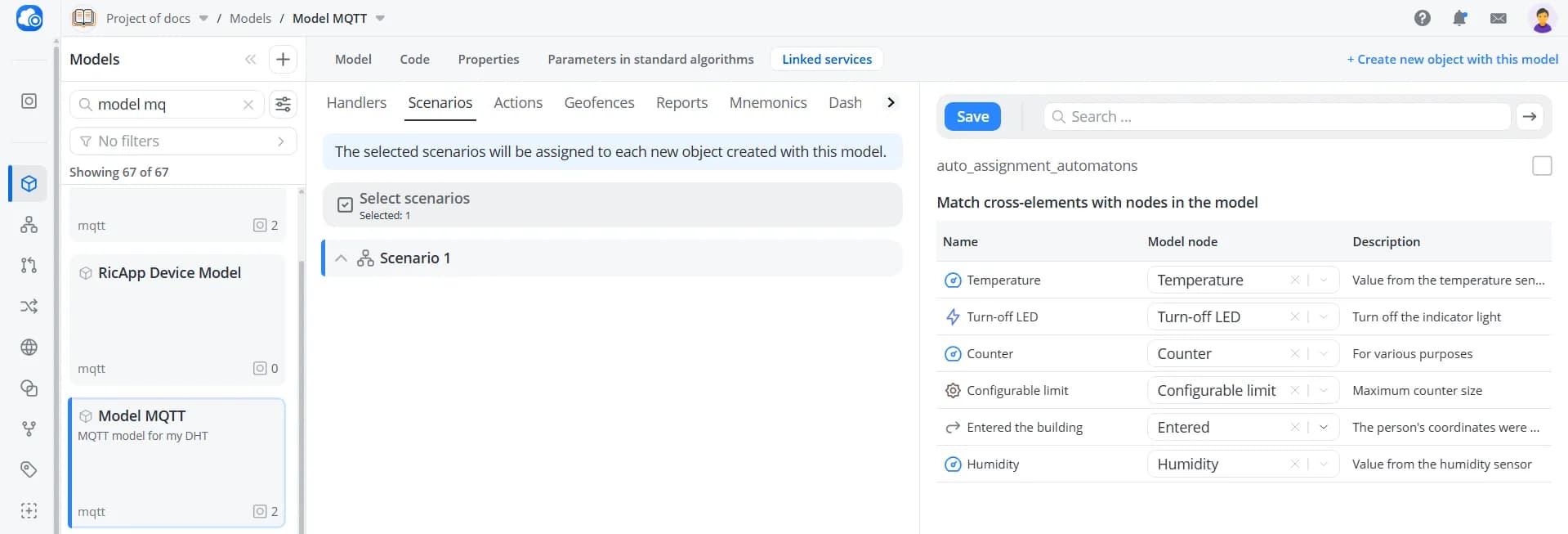
Map the scenario's cross-elements to the corresponding parameters in the model, then click Save.
Return to the scenario. The model status will now change to The elements are mapped.
To select the objects on which the scenario should run, open the Launch on objects tab.
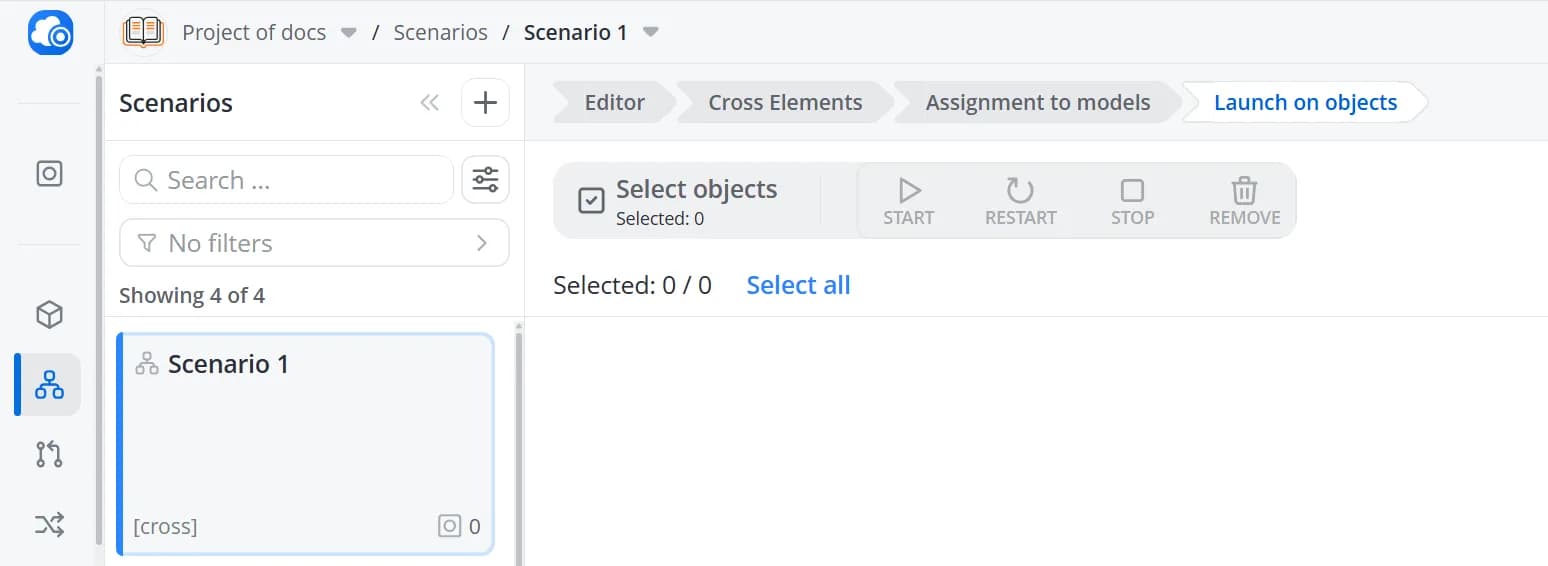
Click Select objects, then choose the object cards for which this scenario should be executed.
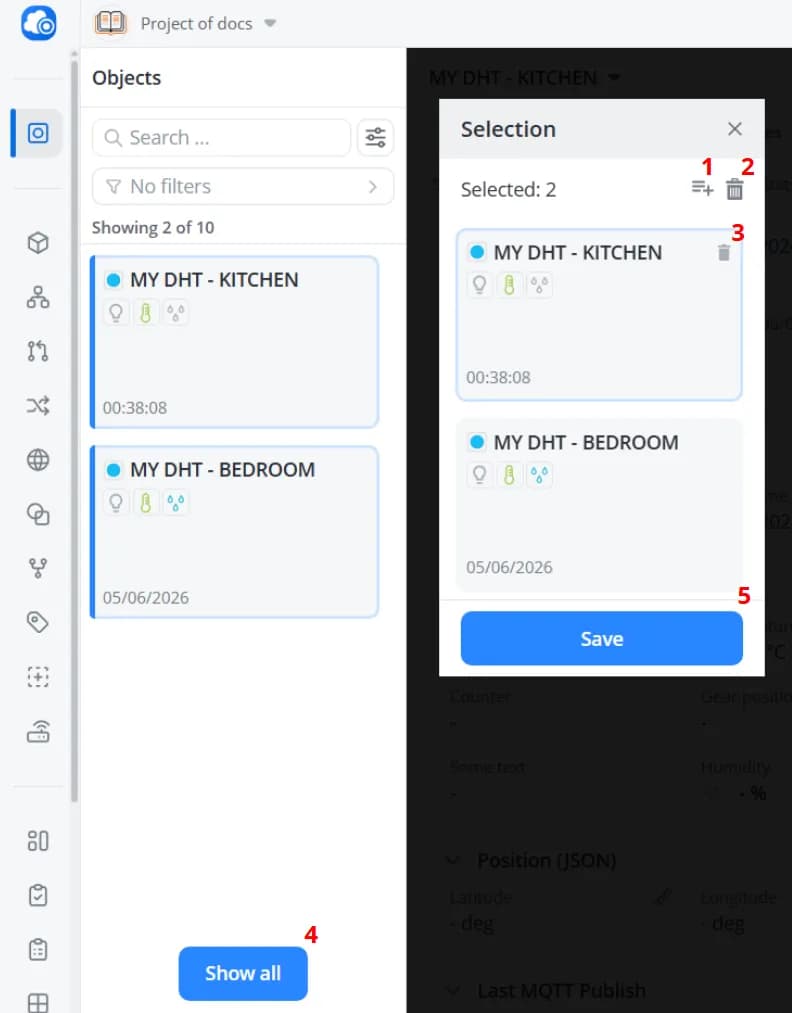
1 – To select all objects in the list, click Select all.
2 – To clear the entire selection, click Clear all.
3 – To remove an individual object from the selection, click the remove button on the object's card.
4 – By default, the list displays only objects that use the models selected during the model assignment step. Click Show all to display all of your objects.
5 – After selecting all required objects, click Save.
2 – To clear the entire selection, click Clear all.
3 – To remove an individual object from the selection, click the remove button on the object's card.
4 – By default, the list displays only objects that use the models selected during the model assignment step. Click Show all to display all of your objects.
5 – After selecting all required objects, click Save.