Error handling in the scenario editor
Any action can be added to a state without filling in its required fields. However, if those fields remain empty when the scenario is started on an object, the action will fail during execution. To make these issues easy to identify, actions with missing required fields are highlighted with a red border in the scenario editor.
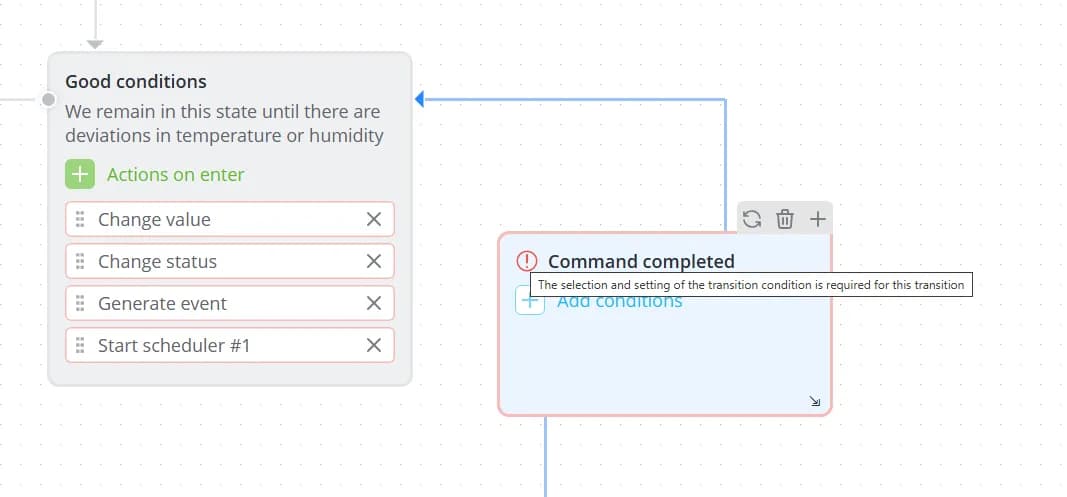
The Command completed transition event also requires additional configuration. When using this event, you must specify which command's execution should be monitored in the transition conditions. If no command is selected, the transition will also be highlighted in red. Hover over the warning icon to view the error message.
For scenarios of type By parameters from model, additional validation issues may occur. In this scenario type, the model and the scenario are tightly coupled, which means inconsistencies can arise if they become out of sync.
This may happen, for example:
- when the model is modified after the scenario has been created;
- when the same scenario is used with different models;
- when a scenario is imported from an external source.
In these situations, the scenario may contain parameters, events, or commands that no longer exist in the device model. As a result:
- missing parameters will not be evaluated when checking conditions;
- missing events will not trigger transitions;
- missing commands will not be sent during execution.
These issues are also highlighted in red within the editor. Hover over the warning icon to see a description of the problem.
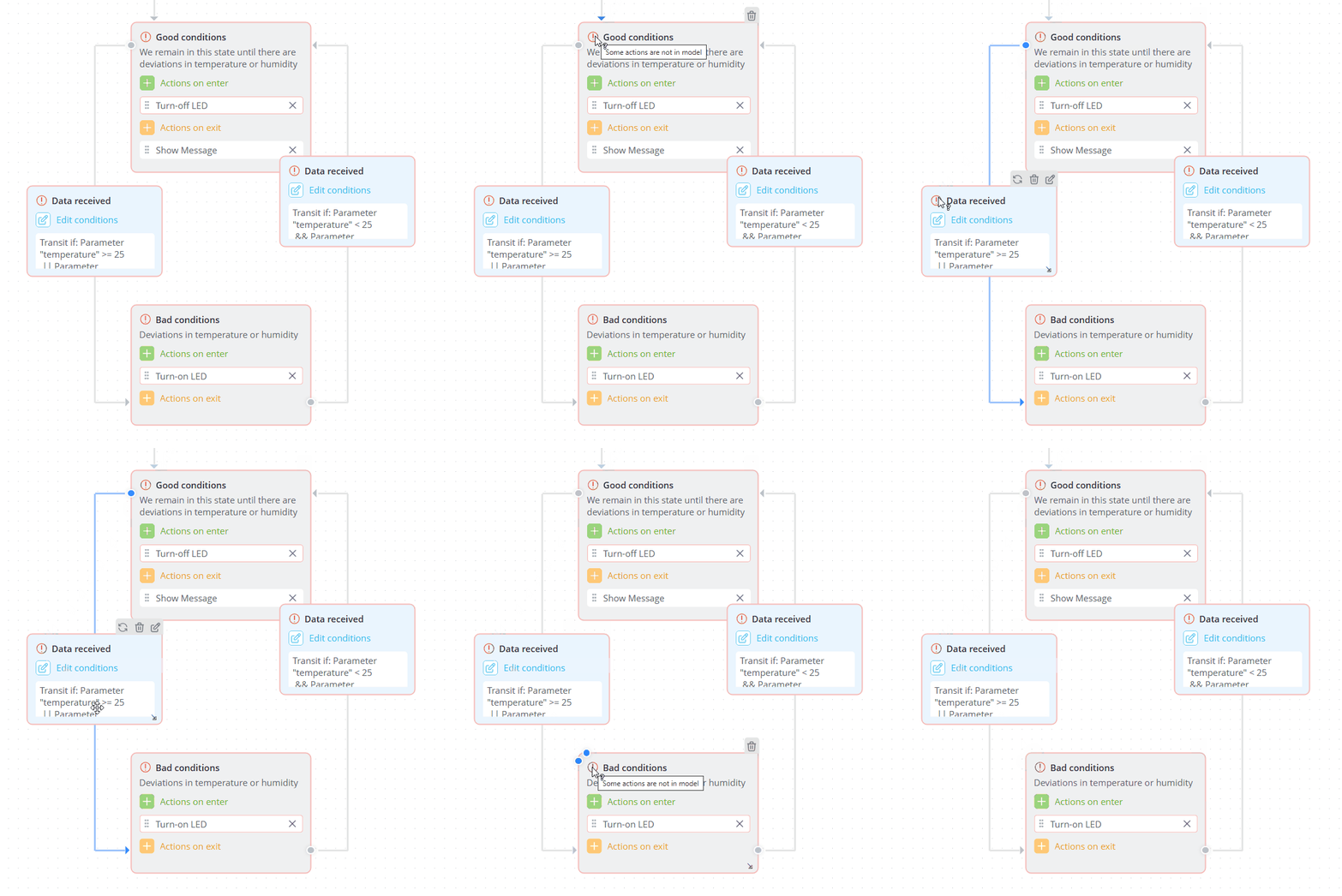
Scenarios containing errors can still be saved and started. However, their correct execution cannot be guaranteed. For this reason, you should carefully monitor the logs of any running scenario and resolve any reported issues.