Coordinating multiple objects within a single scenario
Scenarios of type By parameters from model support working with multiple objects within a single scenario. This makes it possible to coordinate the behavior of different devices connected to the platform, allowing you to build true IoT workflows where smart devices interact with one another rather than operating independently.
To create a multi-model scenario, add the models of all objects that will participate in the shared automation logic. The objects may use either different models or the same model.
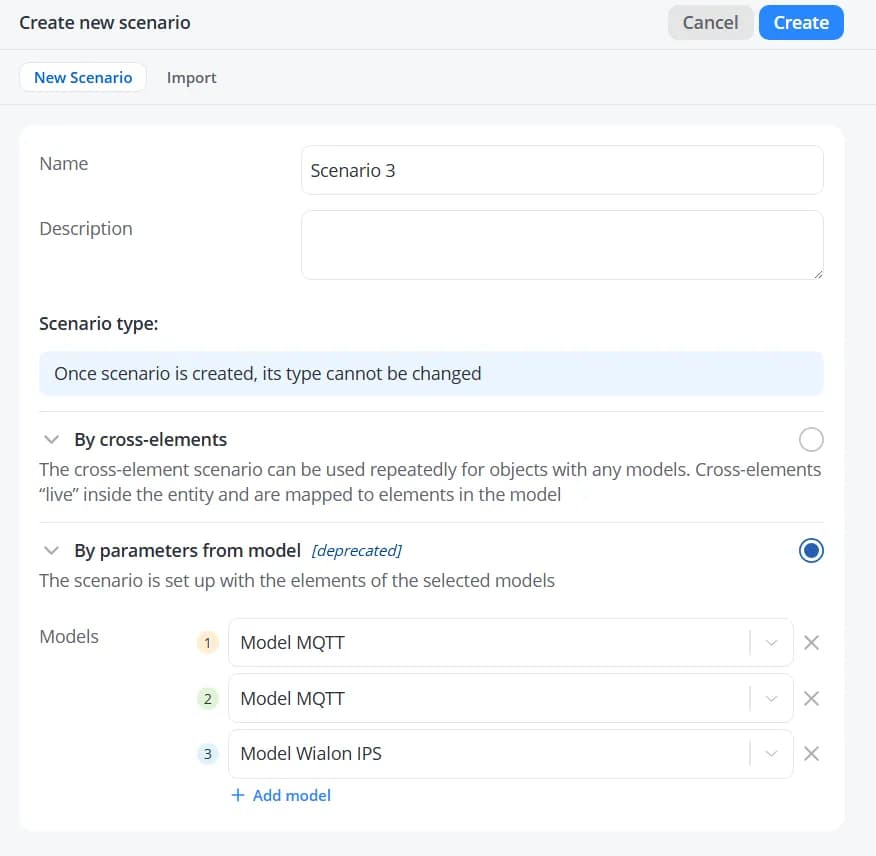
When adding actions, events, or parameters for transition conditions, you will be prompted to select one of the models included in the scenario.
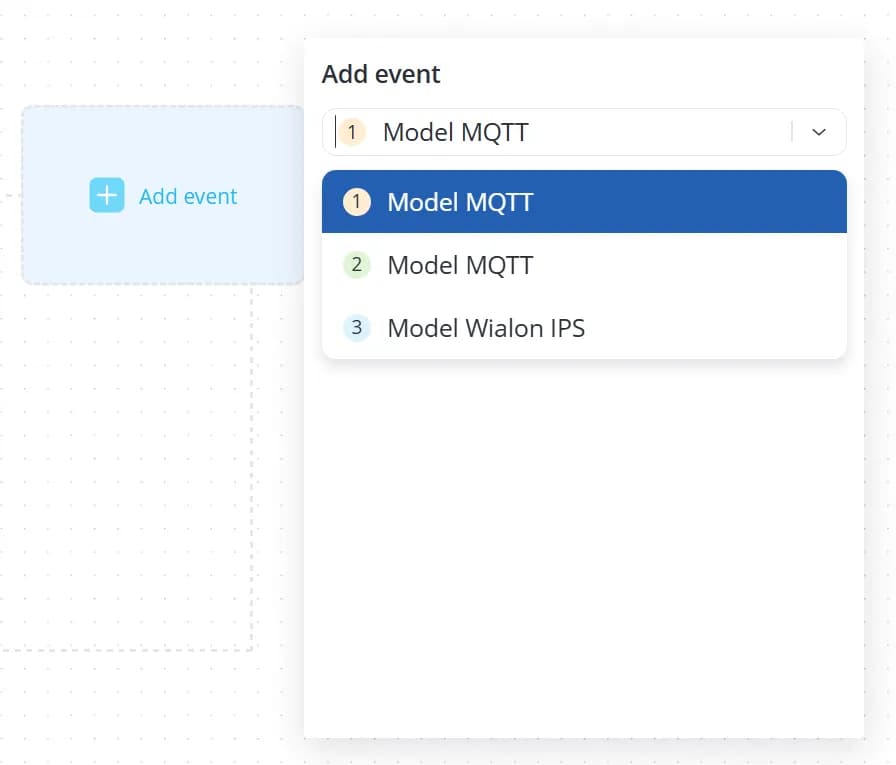
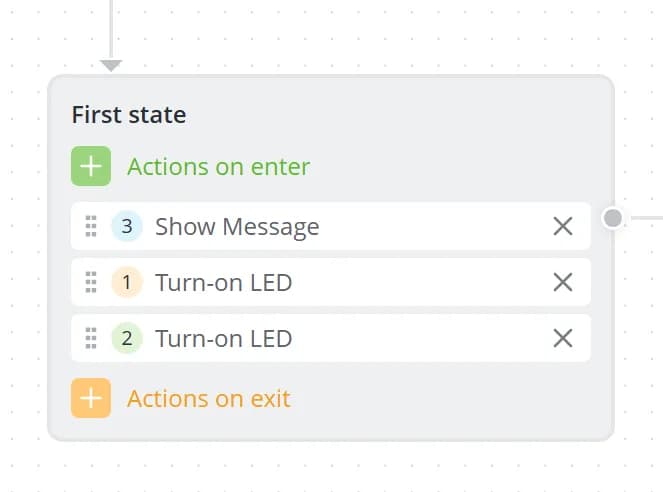
After a model is selected, a number indicating the corresponding model will be displayed next to the item.
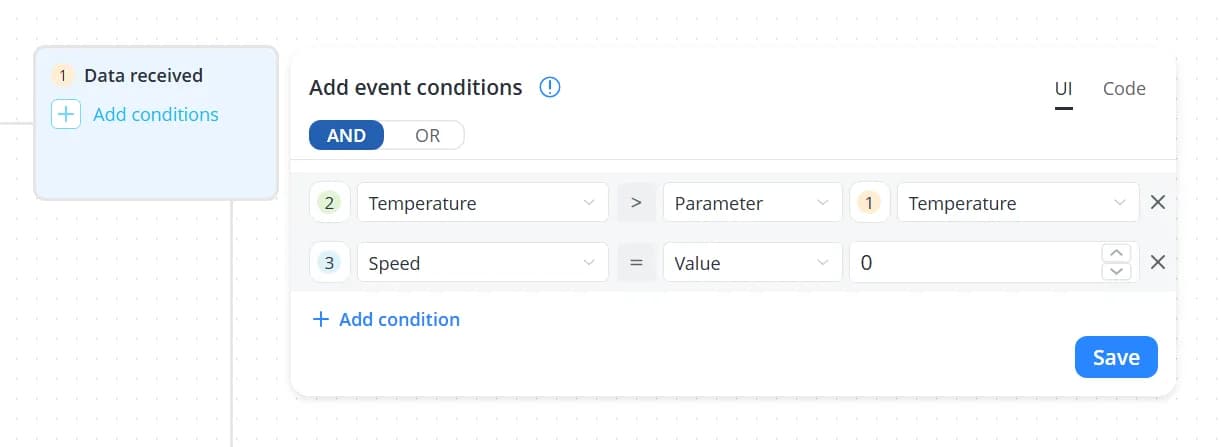
When defining transition conditions, you can use parameters from devices based on different models and even compare those parameters with one another.
Just as in scenarios that use a single model, parameter values can be included in notification messages. In multi-model scenarios, parameter references use the following syntax:
{{objects[n].state["id_of_parameter"]}}where:
n– the model number minus 1;id_of_parameter– the identifier of the parameter in the model.
For example, a notification message can be constructed as follows:
{
  "event": "Current state",
  "temperature1": {{objects[0].state["temperature"]}},
  "temperature2": {{objects[1].state["temperature"]}},
  "speed": {{objects[2].state["speed"]}}
}
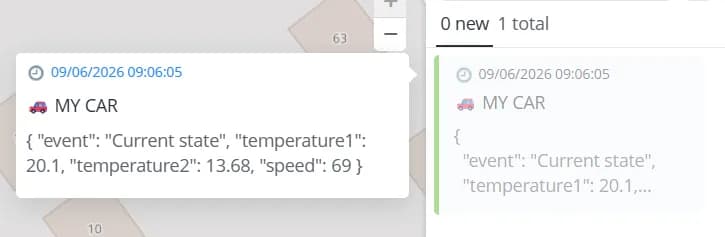
In this example, the notification will include:
- the temperature value from the object associated with Model 1;
- the temperature value from the object associated with Model 2;
- the speed value from the object associated with Model 3.
After designing and saving the scenario, open the Objects tab and assign an object to each model used in the scenario.
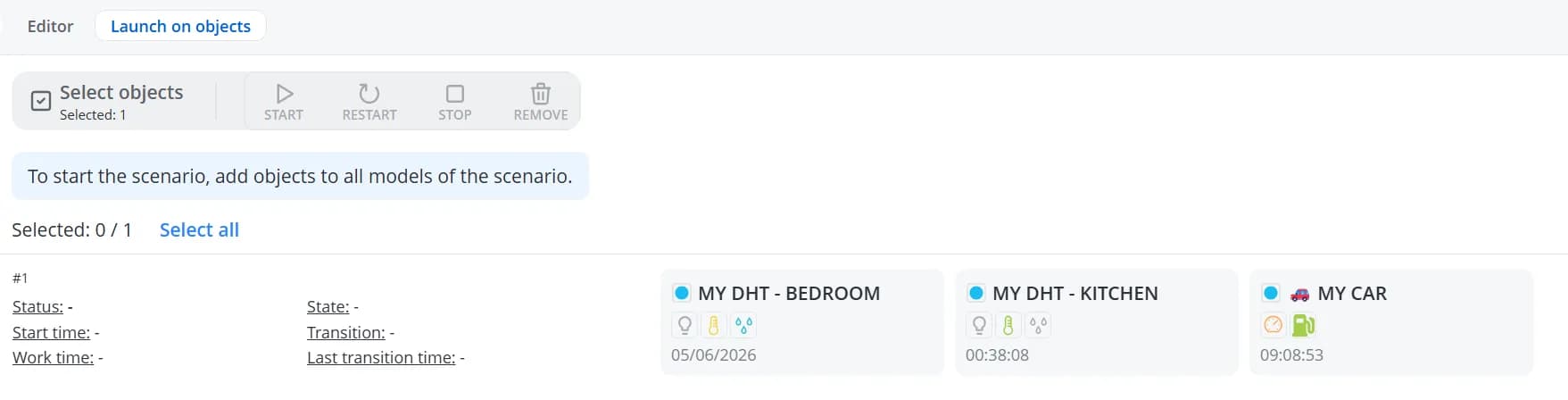
Click Start to launch the scenario. The automation scenario will begin running simultaneously across all selected objects.