Report history
On the Report's history tab, you can view the 10 most recently generated reports. Older reports are automatically removed.
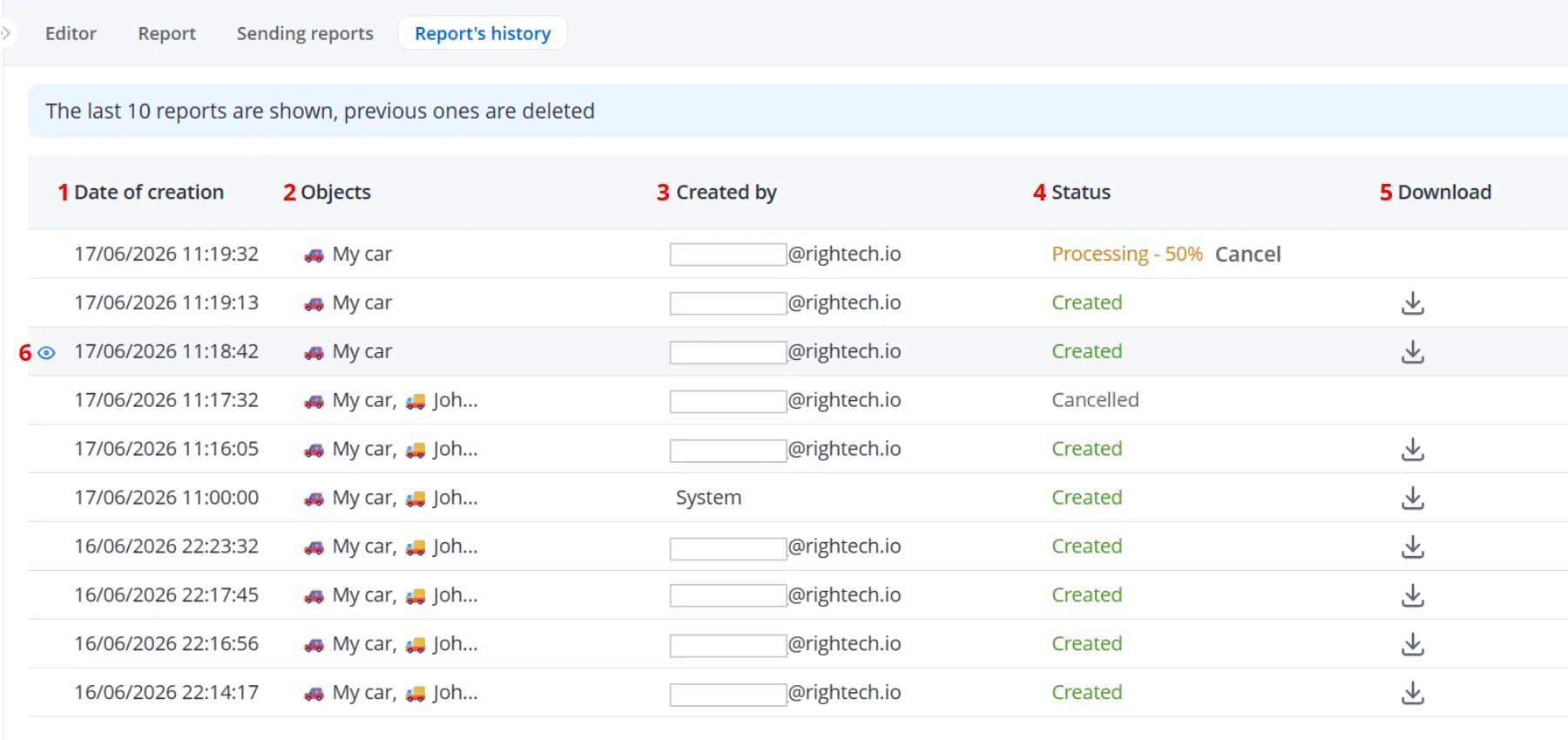
1 – Date when the report was generated
2 – List of objects whose data was used to generate the report
3 – User login if the report was generated manually, or System if the report was generated automatically and sent by e-mail
4 – Report status: Created, Canceled, Pending, Processing
5 – Download the report in one of the available formats: .xlsx, .csv, .pdf, .json
6 – Open the generated report on the Report tab
2 – List of objects whose data was used to generate the report
3 – User login if the report was generated manually, or System if the report was generated automatically and sent by e-mail
4 – Report status: Created, Canceled, Pending, Processing
5 – Download the report in one of the available formats: .xlsx, .csv, .pdf, .json
6 – Open the generated report on the Report tab