Import/Export
Reports also support import and export functionality, allowing you to share reports with predefined table
configurations.
Import
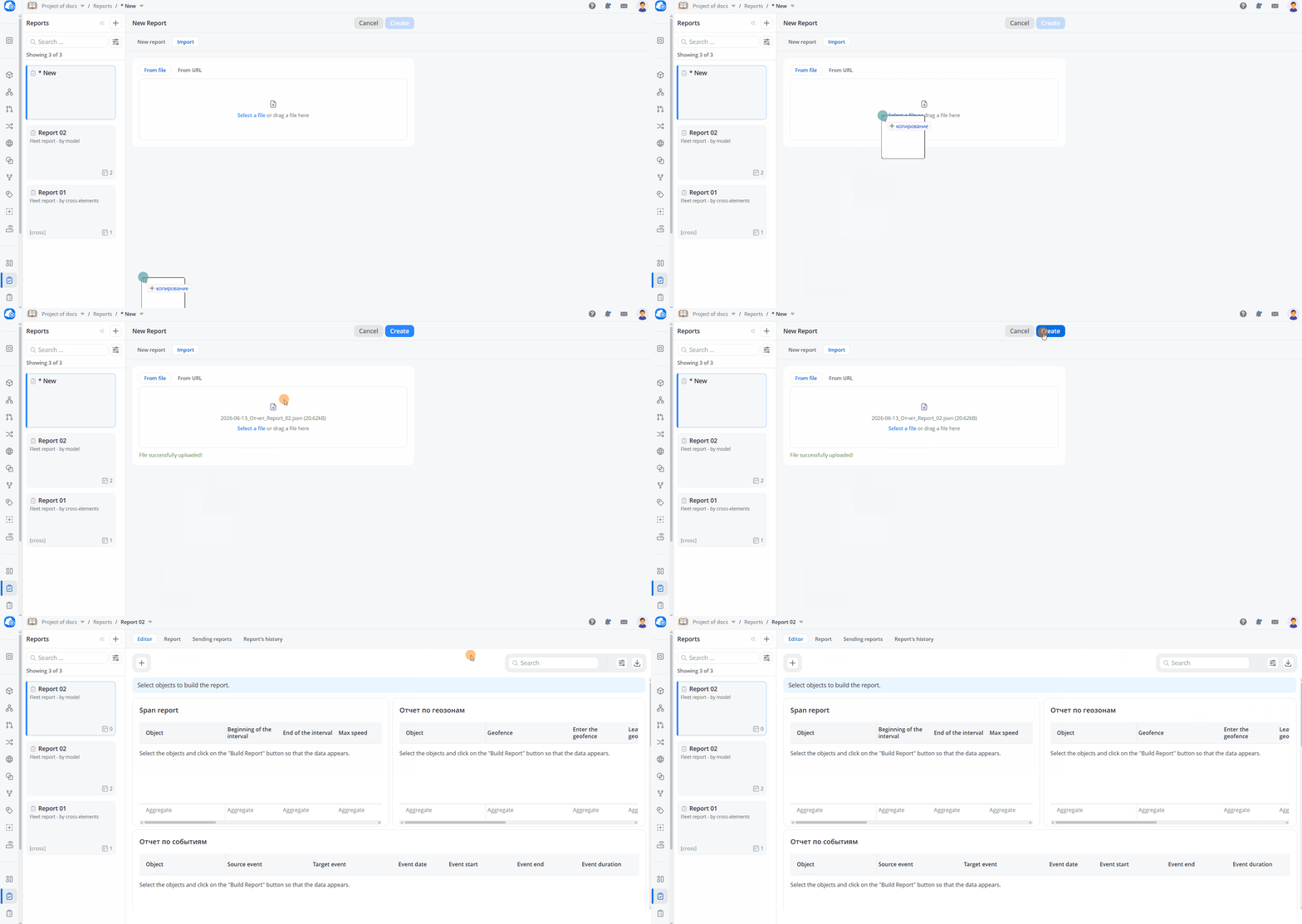
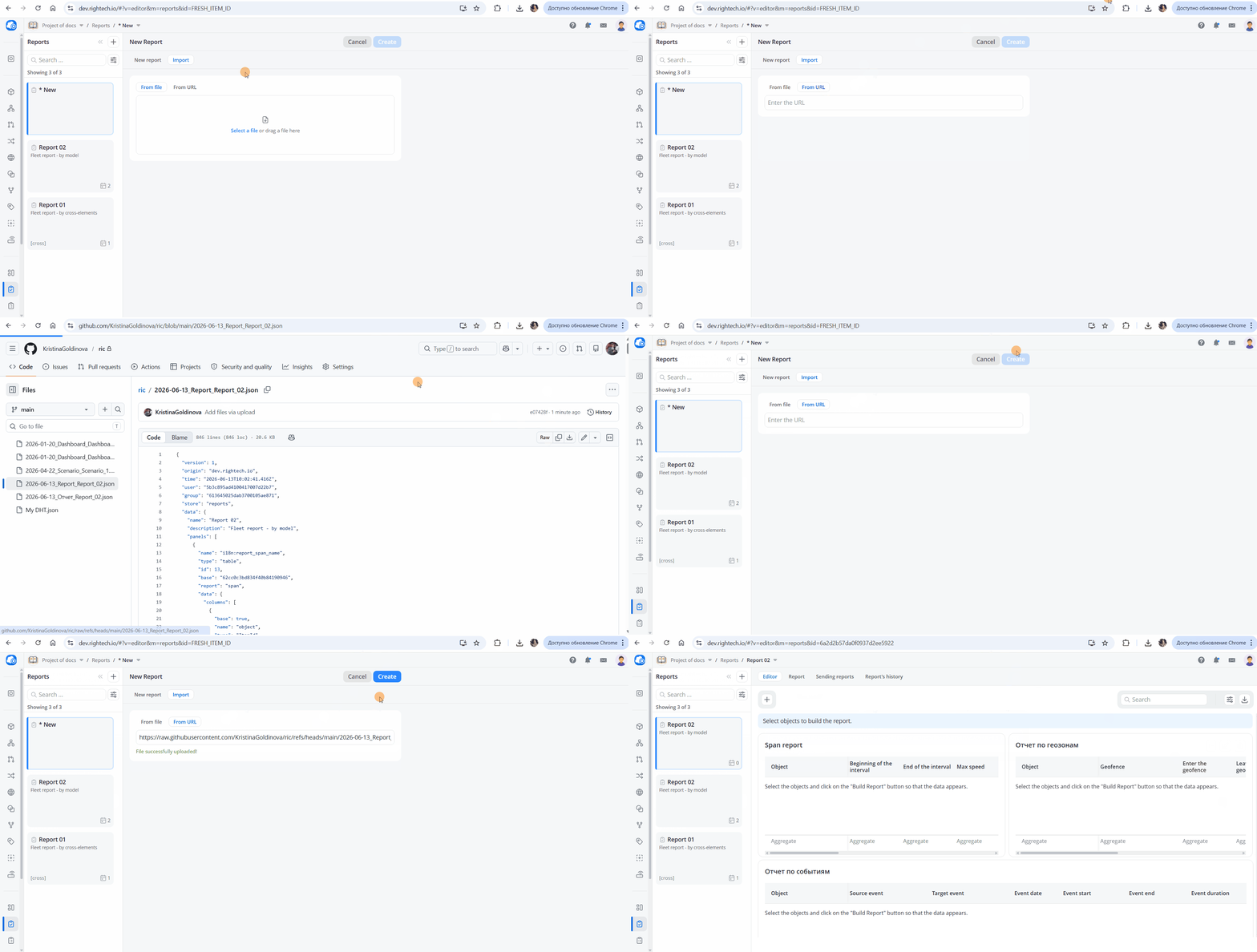
Reports are imported during report creation. Only the table structure is imported; report data is not included.
Available import sources:
- file
- Link, for example, a GitHub file URL in raw view mode
Export
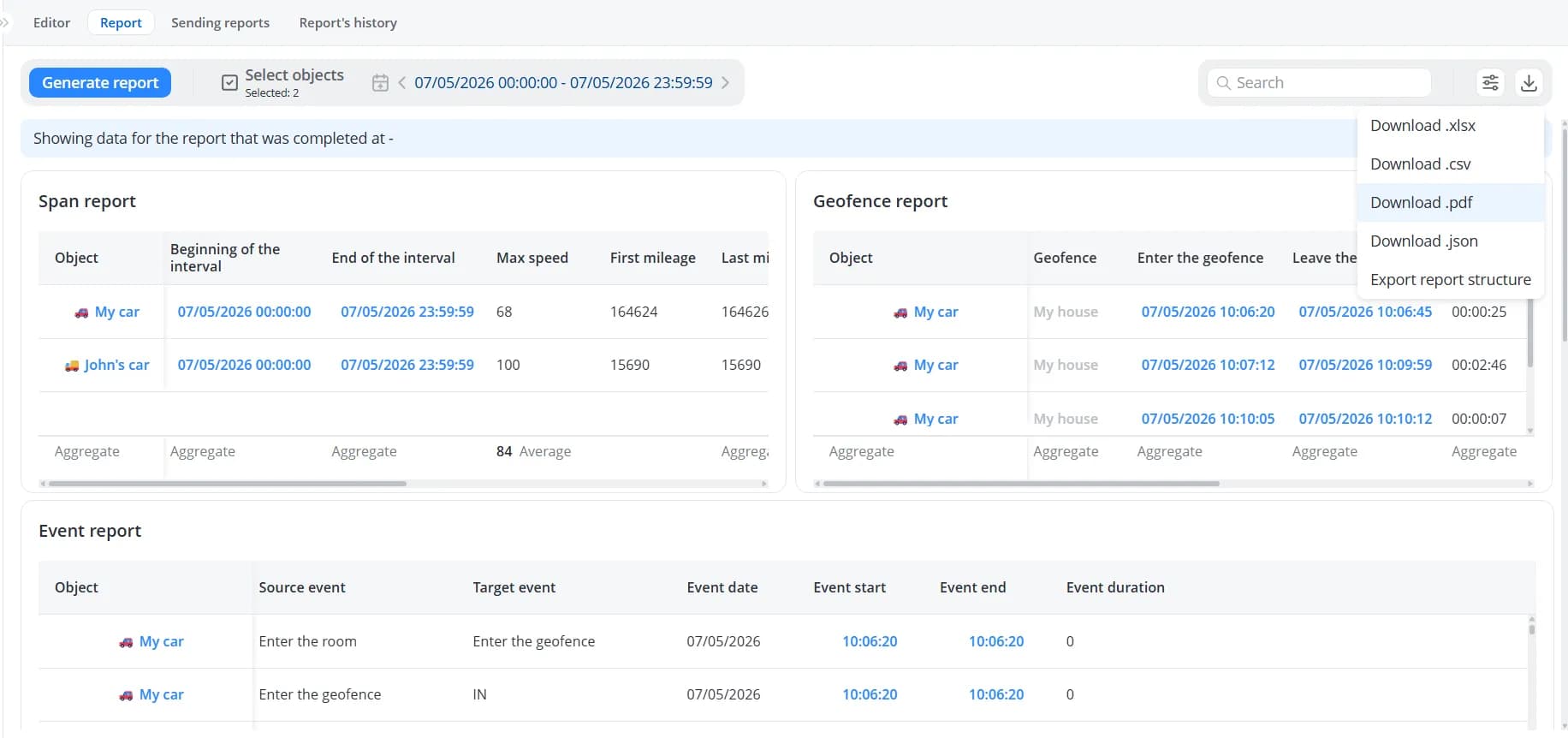
To export a report, click Download report. Select one of the available formats: .xlsx, .csv, .pdf, or .json.
Exporting a report in one of these formats downloads the report together with the currently displayed data. You can also
Export report structure. In this case, only the table configuration is exported, without any report data.
The exported file name includes the export date, the report name, and the number of selected objects (except when
exporting only the report structure).